

REDACTED:<SHA256> in the dashboard and API. The original values are still used when delivering requests to your workflow endpoint. The SHA256 hash lets you verify the data without revealing the original values.
To redact fields, pass the redactFields option when triggering a workflow run.
Available options:
| Option | Description |
|---|---|
| body | Redact the body of the workflow steps |
| headers | Redact the headers of the workflow steps |
| headers[header_name] | Redact a specific header (e.g., headers[Authorization]) |
Redaction is one-way. Once a field is redacted, the original value cannot be retrieved from the API or dashboard.
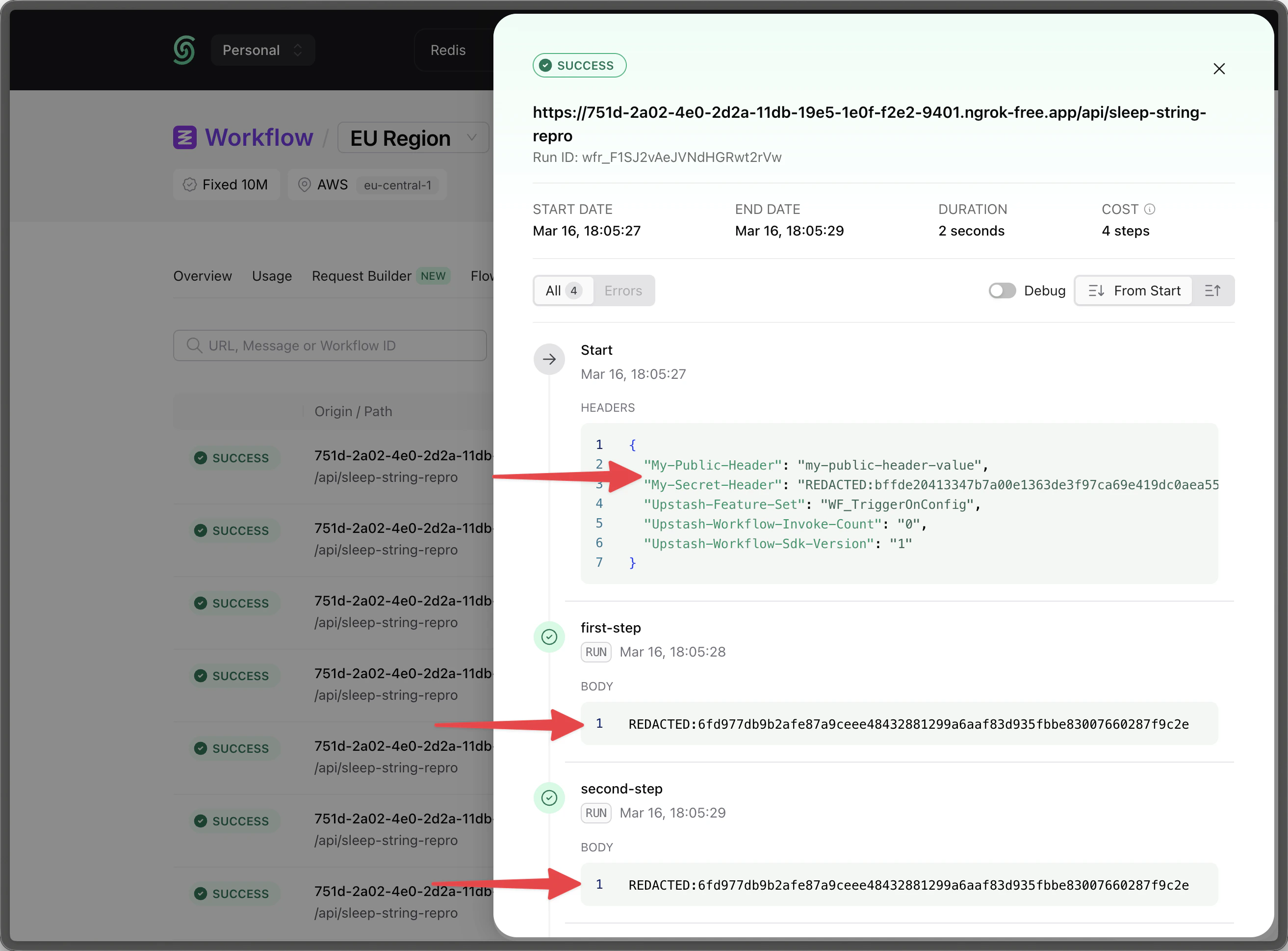
body is redacted, the step outputs in the dashboard and API will show REDACTED:<SHA256> instead of the actual values. The workflow still executes with the original data.
If a workflow run fails and moves to the DLQ, the redacted fields remain redacted in the DLQ.
However, when you retry, resume or restart a workflow run from DLQ, Workflow delivers the original values to your endpoint.